
Excel for Marketers: Automate Tasks with XLclick
If you work in marketing, chances are you spend more time in Excel than you’d like. Not because you enjoy spreadsheets, but because everything—from leads to campaigns to reports—runs on data.
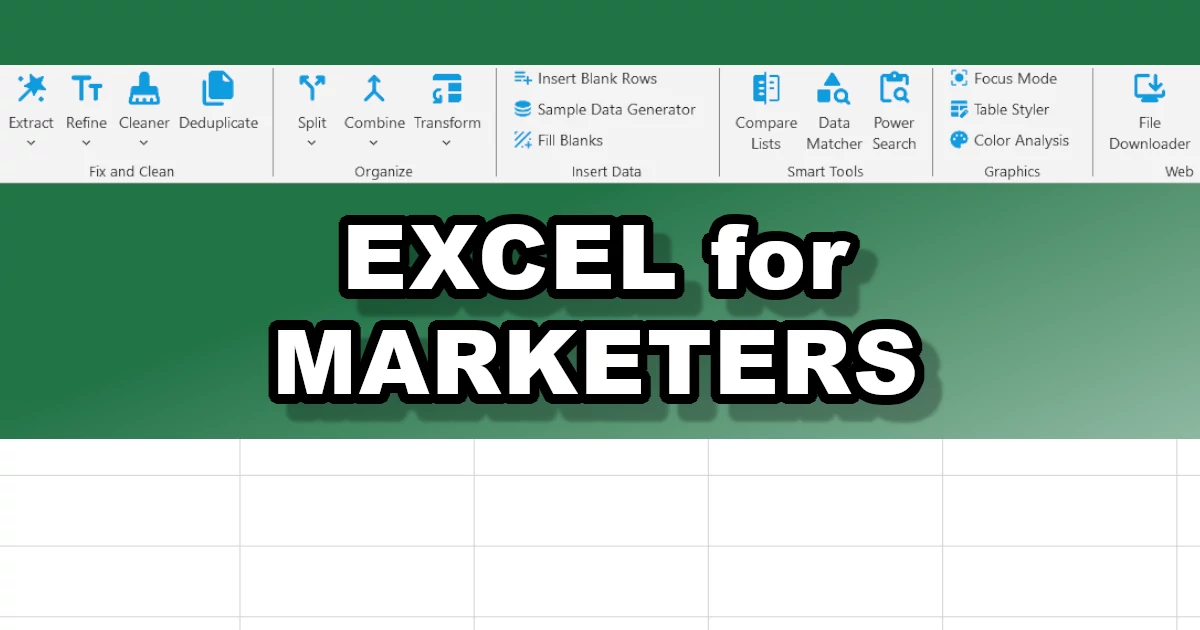
The problem? Excel often feels harder than it should be. Formulas break, data gets messy, and simple tasks take way longer than expected.
XLclick was built to fix exactly that. Instead of figuring out complex formulas, you get simple buttons that just do the job. Below are 15 very real marketing scenarios, explained in a practical way, showing where things usually go wrong—and how to handle them faster.
1. Clean Lead Lists Without Headaches
Let’s start with a classic: messy lead lists. Data coming from forms, ads, or scraping tools is almost never clean. You’ll see extra spaces, weird characters, inconsistent formatting.
This might look like a small issue, but it quickly becomes a problem when you upload data into a CRM or send personalized emails.
Text Cleaner fixes this in seconds. Instead of manually editing or building formulas, you just remove what you don’t need and standardize everything.
- Clean your data before doing anything else
- Watch out for invisible characters (they break automations)
- Keep everything consistent across sources
2. Pull Email Addresses from Messy Text
Sometimes emails are not neatly stored in a column. They’re buried inside text—think scraped pages, chat logs, or survey answers.
Manually finding them is slow and unreliable.
Extract Emails scans everything and pulls out valid email addresses instantly. It even fixes common typos like “@@”.
- Perfect after scraping or exporting data
- Helps reduce bounce rates
- Always preview before exporting
3. Remove Duplicates Before They Cost You
Duplicates are more dangerous than they look. They mess up your numbers and annoy users when they receive the same message twice.
Duplicate Management helps you quickly clean things up or analyze overlaps between lists.
- Always deduplicate before sending campaigns
- Check overlaps when merging audiences
- Use clean lists for better targeting
4. Bring All Your Data Together
Marketing data is everywhere: Google Ads, Meta, email tools, CRM exports. Putting everything together manually is slow—and errors happen.
Combine Sheets lets you merge everything into one place in a clean way.
- Create one single report
- Avoid copy-paste mistakes
- Save a lot of time every week
5. Match Data Without Learning VLOOKUP
If you’ve ever tried VLOOKUP, you know how frustrating it can be. One small mistake and everything breaks.
Smart Data Matcher does the same job, but without formulas. It simply matches data between sheets automatically.
- Connect campaign data with CRM data
- Add missing information to your lists
- No more formula errors
6. Split Data into Proper Columns
Sometimes everything ends up in one column—names, emails, tracking info. Not very useful.
Standard Split separates data into clean columns instantly.
- Split full names
- Break down UTM parameters
- Make data usable for analysis
7. Turn One Cell into Multiple Rows
If a cell contains multiple values (like tags or interests), filtering becomes messy.
Row Explosion solves this by turning one cell into multiple rows.
- Better segmentation
- Easier filtering
- More accurate reports
8. Fix Broken or Inconsistent Data
Imported data often comes with problems: wrong formats, strange characters, numbers stored as text.
Data Fixer cleans everything up in one go.
- Fix encoding issues
- Convert text to numbers
- Prepare data for analysis
9. Share Data Safely (GDPR)
Sometimes you need to share data internally or with clients—but you can’t expose personal information.
Data Anonymizer replaces sensitive data while keeping the structure intact.
- Stay compliant
- Use data safely in presentations
- Protect user privacy
10. Extract URLs for SEO Work
SEO tasks often involve messy lists of links.
Extract URLs pulls clean URLs or domains from any text.
- Analyze backlinks
- Prepare outreach lists
- Clean up scraped data
11. Download Files in Bulk
Downloading assets one by one is a waste of time.
Bulk Downloader handles everything automatically.
- Download images, PDFs, videos
- Organize assets quickly
- Rename files automatically
12. Create Fake Data for Testing
You don’t always want to use real data, especially in demos.
Generate Test Data creates realistic datasets instantly.
- Build demos
- Test workflows
- Avoid privacy issues
13. Compare Lists Easily
Understanding what overlaps and what’s missing between lists is key for targeting.
Compare Lists shows you matches and differences instantly.
- Find shared leads
- Spot missing contacts
- Improve targeting
14. Make Reports Look Professional
Even good data looks bad in messy spreadsheets.
Instant Pro Look formats everything for you.
- Clean layout
- Better readability
- Client-ready reports
15. Make Sure Everything Is Updated
Sending a report with outdated data is more common than you think.
Refresh Formulas updates everything in one click.
- Refresh pivot tables
- Update formulas
- Avoid mistakes
Why XLclick Makes a Real Difference
The real advantage of XLclick is simple: it removes complexity. You don’t need to learn advanced Excel—you just get things done.
| Aspect | Standard Excel | XLclick |
|---|---|---|
| How you work | Formulas & manual steps | Click and done |
| Skill needed | Medium–high | Beginner-friendly |
| Error risk | High | Low |
| Speed | Slow | Fast |
| Scalability | Limited | Easy for teams |
Final Thought
At the end of the day, marketing is not about Excel formulas. It’s about making decisions based on clean, reliable data.
XLclick helps you get there faster—without the usual frustration.

Excel has always been my laboratory. After years of navigating data-heavy workflows, I created XLclick: the definitive add-in that simplifies complex analysis into a single click. It’s built for pros who want to spend less time on spreadsheets and more time on strategy.