
ASAP Utilities Alternative for Excel on Windows and Mac
XLclick vs ASAP Utilities: Which Excel Add-in Is Better in 2026?
Excel users have relied on productivity add-ins for years to simplify repetitive tasks, clean data, and automate spreadsheet workflows. One of the oldest and most recognized tools in this category is ASAP Utilities. However, modern Excel users now expect faster workflows, smarter automation, cleaner interfaces, and advanced data tools that go far beyond basic utility functions.
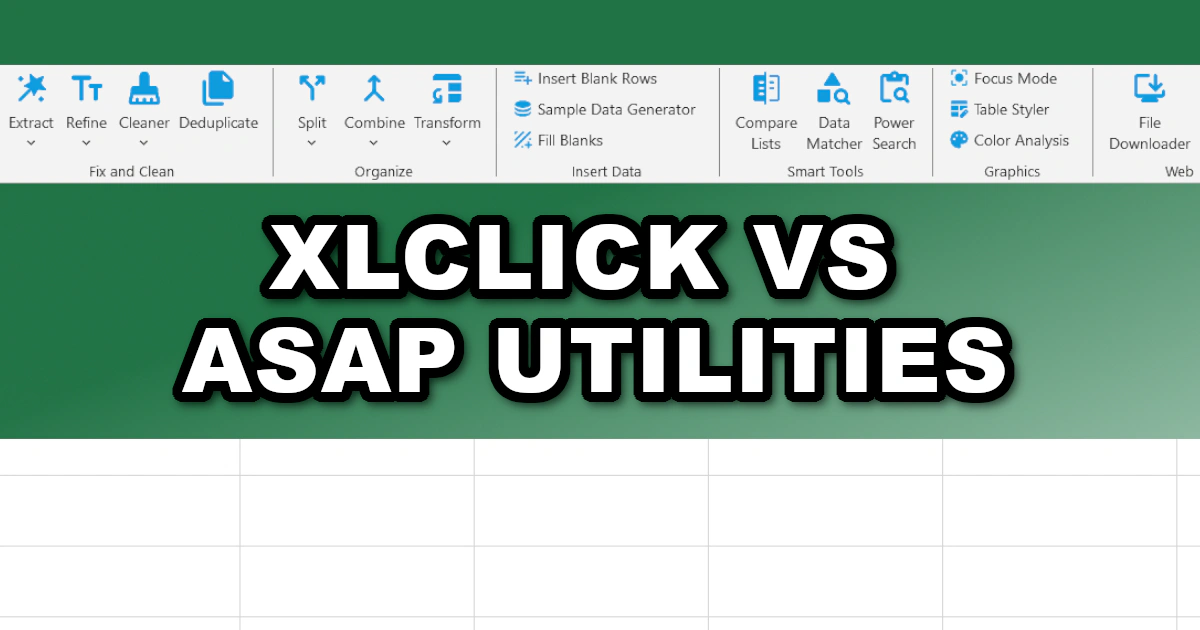
This is where XLclick stands out. While ASAP Utilities helped define the Excel add-in market years ago, XLclick was designed for today’s workflows: massive datasets, messy imports, file automation, GDPR compliance, advanced extraction, and productivity without formulas.
Modern Excel Automation vs Legacy Utility Menus
ASAP Utilities offers a large collection of traditional Excel helper tools. While useful, many features feel outdated, scattered across menus, and heavily dependent on manual navigation. The interface can overwhelm newer users, especially when working under time pressure.
XLclick focuses on simplicity and execution speed. Instead of digging through endless utility menus, users access powerful one-click actions directly from Excel. Tasks like Split to Rows, Combine Sheets, Data Matcher, Extract Emails, and Duplicate Management are streamlined for modern productivity.
The difference is simple: ASAP Utilities feels like a collection of small tools, while XLclick behaves like a complete Excel productivity platform.
XLclick Eliminates Complex Excel Work
One of the biggest frustrations in Excel is dealing with formulas, text manipulation, and repetitive manual cleanup. ASAP Utilities offers some basic automation, but many workflows still require additional manual steps or Excel knowledge.
XLclick was designed specifically to remove complexity. Features like Smart Data Matcher replace complicated VLOOKUP or INDEX/MATCH formulas automatically. Pattern Matcher enables regex-style extraction without coding knowledge. Text Cleaner, Case Converter, and Data Fixer instantly solve common spreadsheet issues with simple clicks.
For non-technical users, this dramatically reduces the learning curve while increasing productivity.
Advanced Features Missing in ASAP Utilities
While ASAP Utilities focuses mainly on traditional spreadsheet helper functions, XLclick includes several advanced tools built for modern business workflows.
For example, Data Anonymizer helps companies stay compliant with GDPR and CCPA requirements by masking names, emails, and sensitive information before sharing files.
Bulk Downloader allows users to automatically download images, PDFs, and videos directly from URL lists stored in Excel. Batch Rename renames external files using spreadsheet values. Large File Splitter breaks massive workbooks into smaller files for uploads or reporting.
These are practical, real-world business tools that ASAP Utilities simply does not offer.
User Experience and Speed Matter
Modern Excel users care about speed. Teams work with larger datasets than ever before, and nobody wants to waste time navigating complicated menus or performing repetitive operations manually.
XLclick was built around fast execution and workflow efficiency. Tools like Deep Refresh, Remove Blanks, Focus Mode, Instant Pro Look, and Power Search help users clean, organize, and navigate spreadsheets instantly.
Instead of offering hundreds of disconnected utilities, XLclick prioritizes practical workflows that save hours of work every week.
Comparison Table: XLclick vs ASAP Utilities
| Feature | XLclick | ASAP Utilities |
|---|---|---|
| Modern user interface | ✅ Yes | ⚠️ Outdated |
| One-click workflow automation | ✅ Yes | ⚠️ Partial |
| No formulas required | ✅ Yes | ⚠️ Limited |
| Advanced regex extraction | ✅ Yes | ❌ No |
| GDPR data anonymization | ✅ Yes | ❌ No |
| Bulk file downloader | ✅ Yes | ❌ No |
| Split rows into records | ✅ Yes | ⚠️ Basic |
| Smart lookup replacement | ✅ Yes | ❌ No |
| Mass file export tools | ✅ Yes | ⚠️ Limited |
| Built for modern datasets | ✅ Yes | ⚠️ Partial |
| Beginner-friendly | ✅ Extremely | ⚠️ Medium |
Why More Excel Users Are Switching to XLclick
ASAP Utilities remains a recognizable name in the Excel add-in space, but many users now need more than small helper functions. Businesses require automation, scalability, data privacy tools, file management, and faster workflows.
XLclick was created for the modern Excel environment. It combines data cleaning, extraction, formatting, comparison, anonymization, workbook management, and automation into a single streamlined add-in.
Most importantly, it removes the frustration of formulas, repetitive tasks, and manual spreadsheet work.
If you want an Excel add-in built for modern productivity instead of legacy utility menus, XLclick is the smarter and more efficient choice compared to ASAP Utilities.

Excel has always been my laboratory. After years of navigating data-heavy workflows, I created XLclick: the definitive add-in that simplifies complex analysis into a single click. It’s built for pros who want to spend less time on spreadsheets and more time on strategy.